Moving from bank transfers to online billing in Malaysia

Oct 29, 2026
5 min
It's the end of the month. Your bank details went out in a WhatsApp broadcast a week ago, and the transfers are trickling in. Screenshots sit in three different chats, a spreadsheet lists names against amounts, and two people say they've paid but you can't find their money.
Bank transfers work when you collect from a handful of people. Once you bill dozens of payers every cycle, the payment itself is the easy part. Everything around it takes the time. Sending each payer a bill fixes most of that: you see who has paid without asking, every payment arrives already matched to a name, and month-end comes down to one statement. This guide covers what changes when you switch, and how to start with a Billplz Collection. No code is needed.
Why bank transfers stop working as your billing grows
A bank transfer leaves most of the admin with you:
- Proof is a screenshot. It can be cropped, reused or edited, and it doesn't confirm the money reached your account.
- Matching is manual. The reference is whatever the payer typed, if they typed anything.
- Chasing is personal. Reminding someone they owe you is awkward when the only record is a chat message.
- Receipts are your job. Every payer who wants one has to ask, and you have to make it.
Here's an example. Two members each pay MYR 120 on the same afternoon, and both leave the reference blank. Your bank statement shows two identical deposits, and only their screenshots tell you whose is whose.
What changes when you send bills instead
A bill is a request for a fixed amount from a named payer. Because it carries those details before anyone pays, most of the admin above goes away.
You see payments, not screenshots. When someone pays, their bill's status changes to Paid and you get an email notification. There's nothing to check against your bank app.
Every payment is already matched. Each bill carries the payer's name, the amount and your own references, such as a member ID and the billing cycle. Those two MYR 120 payments arrive as two different people's bills.
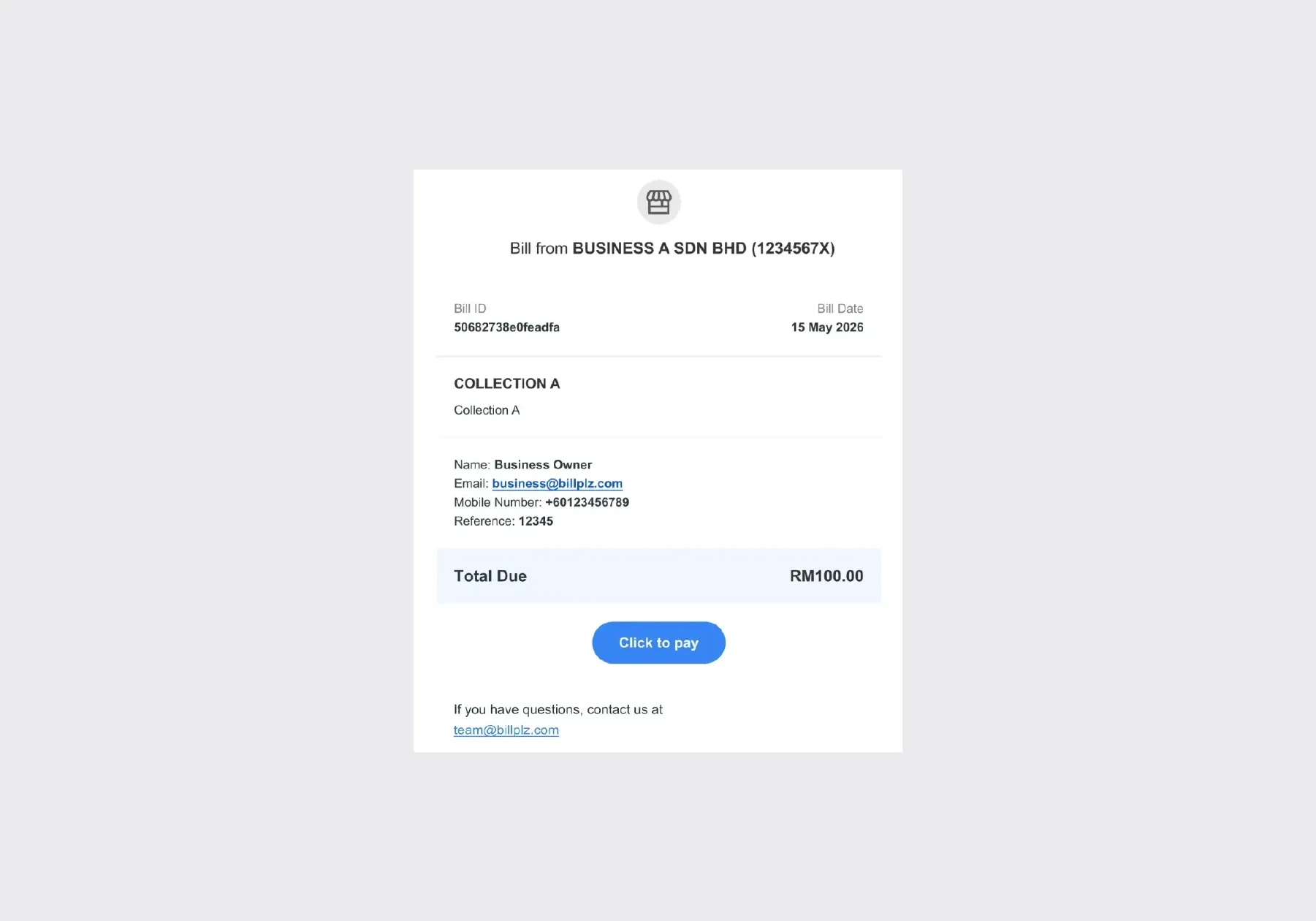
One upload bills everyone. Fill in one Excel file with a row per payer and upload it. Each payer gets their own bill by email, and by SMS too if you add their mobile number.
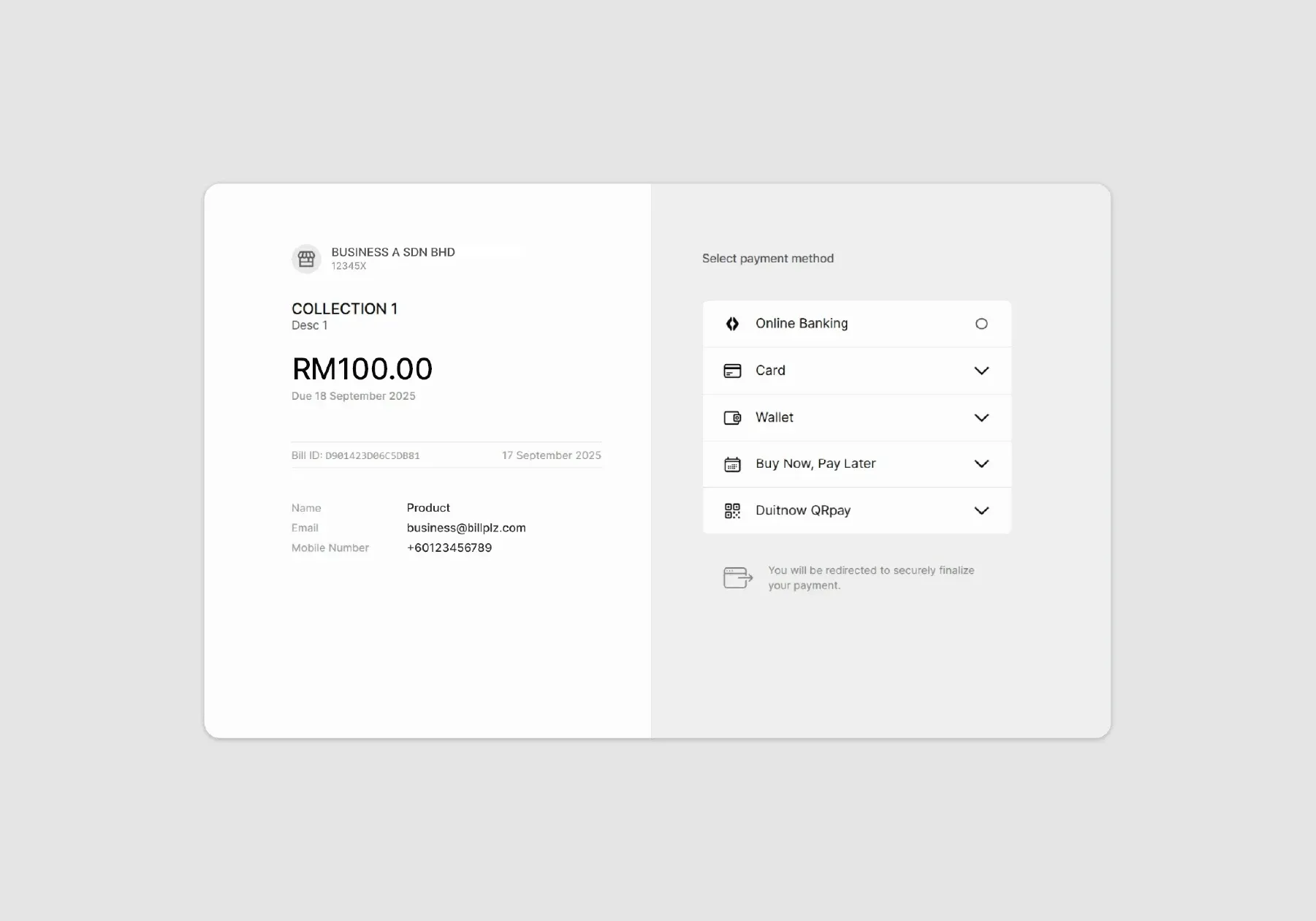
Paying is easier for your payers. They tap Click to pay in the bill and pay on a secure page hosted by Billplz, through FPX online banking with nothing to install, or with Wallet, Card or Instalments if you've activated them. You don't need a website.
Receipts send themselves. Each payer gets a receipt by email when they pay. Receipts are on by default, and you can manage them for each Collection.
Chasing starts from a list. Unpaid bills show as due or overdue in the Collection, so you follow up with exactly the people who haven't paid.
Month-end is one file. Your account statement lists every bill with its status, Bill ID, payer email and your Reference 1 and 2. Filter by Reference 2 to see one cycle, or by Reference 1 to see one payer's bills. To match a payout to your bank account, Reconcile your payout walks through it, and our pricing page shows when each payment method pays out.
Bills or payment links: which do you need?
Billplz offers two common ways to ask for money online.
- A bill is a fixed amount for a named payer. Use it when you know who owes what: monthly fees, membership dues, rent, retainers.
- A payment link is a page anyone can open and pay, filling in their own details and often the amount. Use it for donations, walk-in orders or anything open-ended. Our guide to payment links covers them.
The difference shows when you bill many people. Bills go out to many payers at once: one upload sends every payer their own bill, with their own amount and references, and tracks each one by name. A payment link is one page everyone shares, so you rely on what each payer types in.
How to get started
Bills live in a Collection, a folder that groups them by purpose, such as "Membership dues 2027", or by cycle, such as "October tuition". Each Collection has its own bills and payment methods.
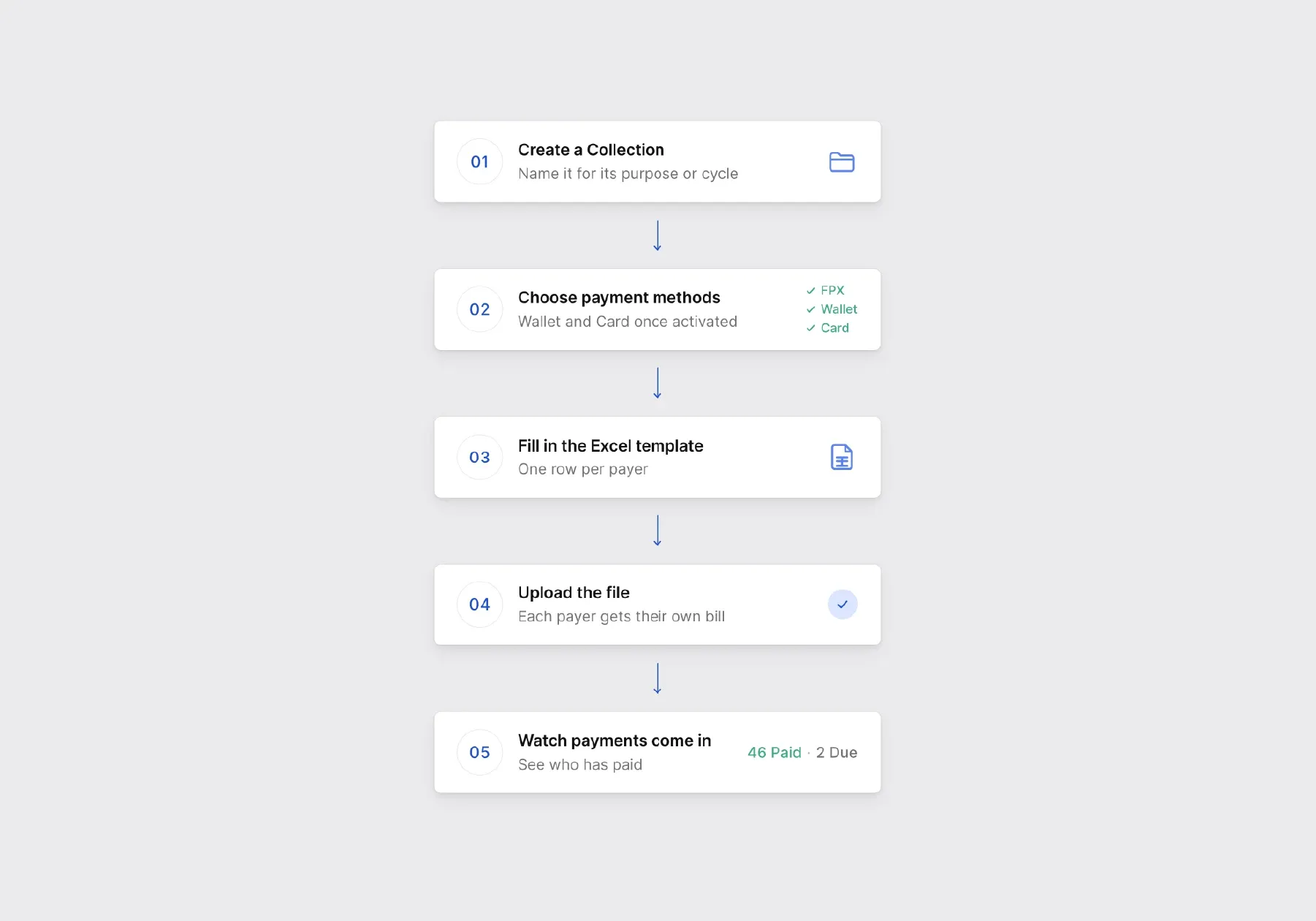
- Create a Collection in the Billplz dashboard and name it for its purpose or cycle.
- Choose its payment methods. FPX online banking is on by default for verified accounts. Wallet, Card and Instalments need to be activated first.
- Fill in the Excel template from Add Bills, under Send multiple bills, with one row per payer. Use Reference 1 for the payer's ID and Reference 2 for the cycle, so your statement sorts itself.
- Upload the file. Billplz emails each payer their bill.
- Watch the payments come in in the Collection, and download your account statement at month-end.
The Send a bill guide has the full steps, including what goes in each column of the template. If you collect school fees, our guide to school fee collection covers that case, and developers can create Collections and bills through the Billplz API. See everything a Collection can do on the Collection page.
Switching payers from bank transfer to billing
Setting up takes an afternoon. Moving your payers over takes a cycle, and a little planning keeps it smooth.
- Tell payers before the first batch. Say what's changing and from when, and that the bill will arrive by email from your business.
- Pick a clean start. The first cycle of a month or a term is simple to explain.
- Run one cycle in parallel. Keep your bank details available for that first cycle only, then remove them, so you don't end up running two systems for good.
- Send yourself a test bill first, so you see exactly what your payers will get.
Here's a short message you can adapt:
What Collections don't do
Collections take care of the billing, but a few things stay with you:
- No scheduling. Each cycle is a new upload. Reusing last month's file with the amounts and references updated keeps it quick.
- No automatic reminders. Check which bills are still due in the Collection or the statement, and follow up with those payers.
- Bills expire 30 days after they're created. The due date doesn't stop anyone paying, so send each cycle as a fresh batch rather than reusing old bills.
FAQs
Do I need a website to send bills?
No. Bills go to your payers by email, and by SMS if you include a mobile number, and they pay on a payment page hosted by Billplz.
Can I send bills by SMS or WhatsApp?
Yes. Every bill goes by email, and adding a payer's mobile number sends it by SMS too. For WhatsApp, copy the bill's URL from the Collection and share it in a chat.
How do I know who has paid?
Each bill's status changes to Paid in the Collection, and you get an email notification. The Collection tab of your account statement lists every bill with its status.
Can I bill the same customers every month?
Yes, as a new batch each cycle. Reuse your Excel file with the amounts and references updated, and upload it again. Billplz doesn't schedule batches for you.
Start with one Collection
Moving off bank transfers doesn't mean switching everyone overnight. Create one Collection for your next billing cycle, send a test bill to yourself, then upload the rest.